
I’ve had a long, uneven relationship with productivity tools. Apps that promise better time tracking, task organization, or workflow control tend to work—until they don’t. Over time, I’ve found that no single task manager or planning system fits every user consistently, especially when needs shift between simplicity and depth.
Even AI-enhanced productivity tools have largely failed to fully solve this fragmentation problem.
My own workflow requires offline access with reliable synchronization across Linux, Chrome OS, and Android, with occasional use of Windows and macOS systems. Cross-platform consistency and free syncing are not optional—they are core requirements.
Most tools fail at this intersection of flexibility and control. The Super Productivity app, however, comes closer than most to meeting those demands. It is a local-first, open-source system that allows deep customization, including optional encryption and modular feature control.
Useful on Many Levels
Unlike many productivity platforms, Super Productivity does not force a single workflow structure. Instead, it adapts to different working styles, whether simple task tracking or more structured project management.
I’ve used a wide range of tools over time—from lightweight options like Google Keep and Calendar to more complex systems like Notion, Any.do, and Todoist. The common pattern is fragmentation: tasks end up spread across multiple systems, each serving a narrow purpose.
Super Productivity addresses this by consolidating those functions into a single environment.
The app supports quick task capture, subtasks, notes, and due dates. It can also sync calendar data for a unified overview of daily or weekly planning. A built-in Focus Mode reduces distractions, while a Pomodoro timer supports structured work intervals and breaks.
The system also includes time tracking, allowing users to compare estimated task durations with actual time spent.
How It Works
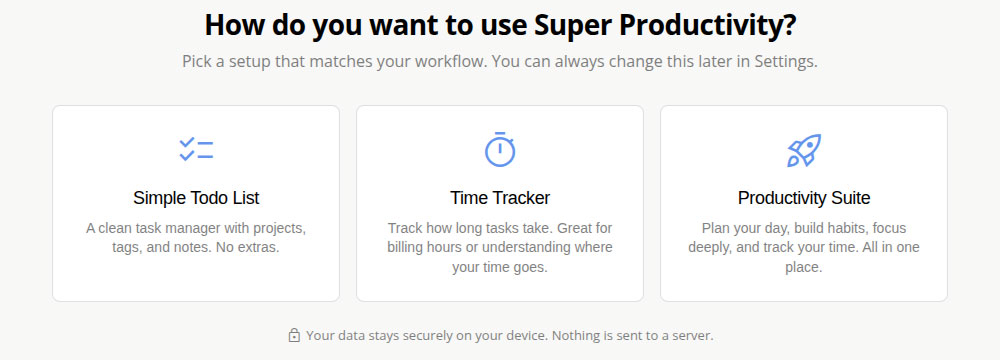
On first launch—whether via desktop app or web version—the setup process asks users to choose a productivity mode:
- Simple Todo List
- Time Tracker
- Productivity Suite
This choice can be changed later in settings. Selecting Productivity Suite enables a more complete environment combining planning, habit tracking, focus tools, and time management features.
The interface has a slight learning curve due to its feature density, but remains navigable once familiar.
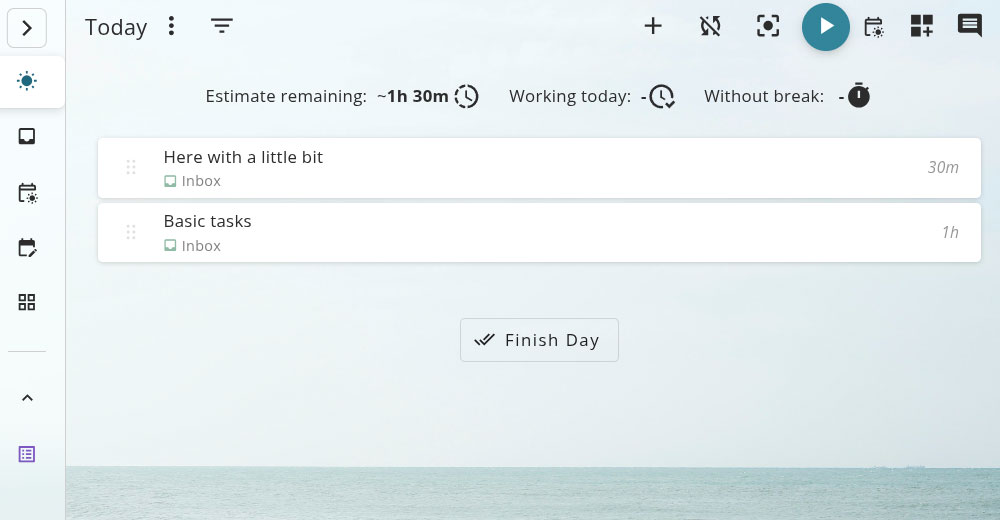
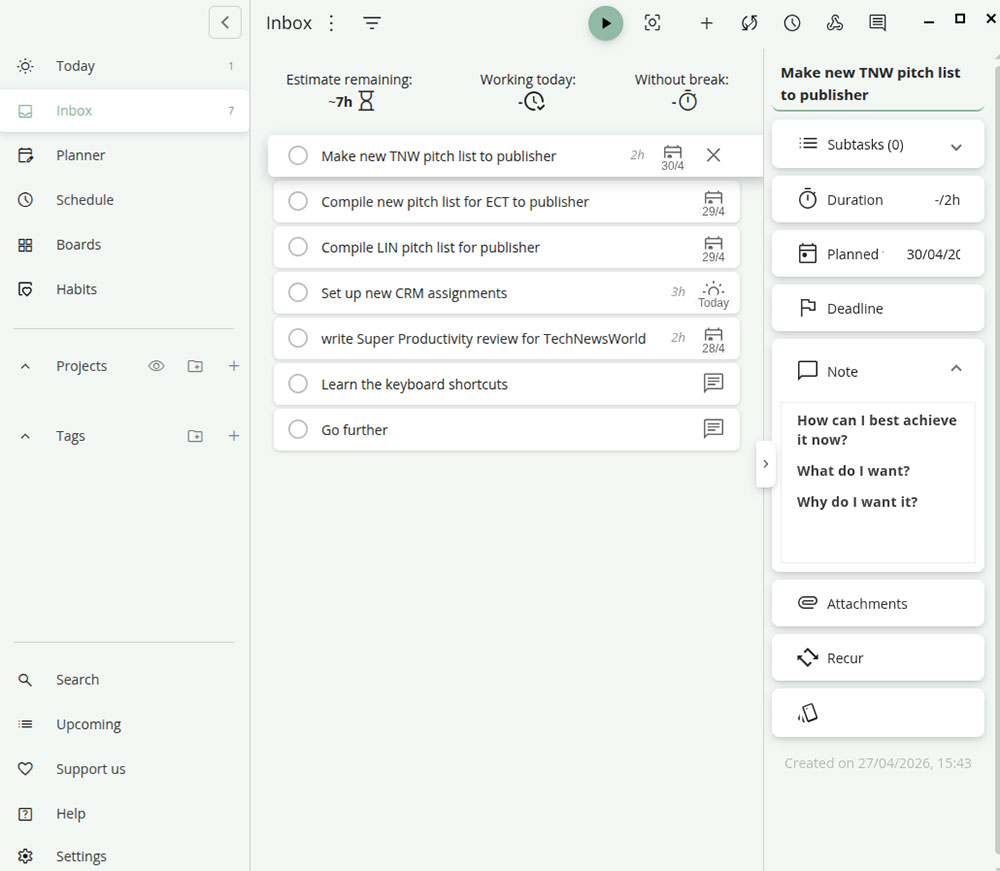
The default view is the Today screen, which populates as tasks and schedules are added. A top toolbar provides quick access to task creation, timers, syncing, and project notes.
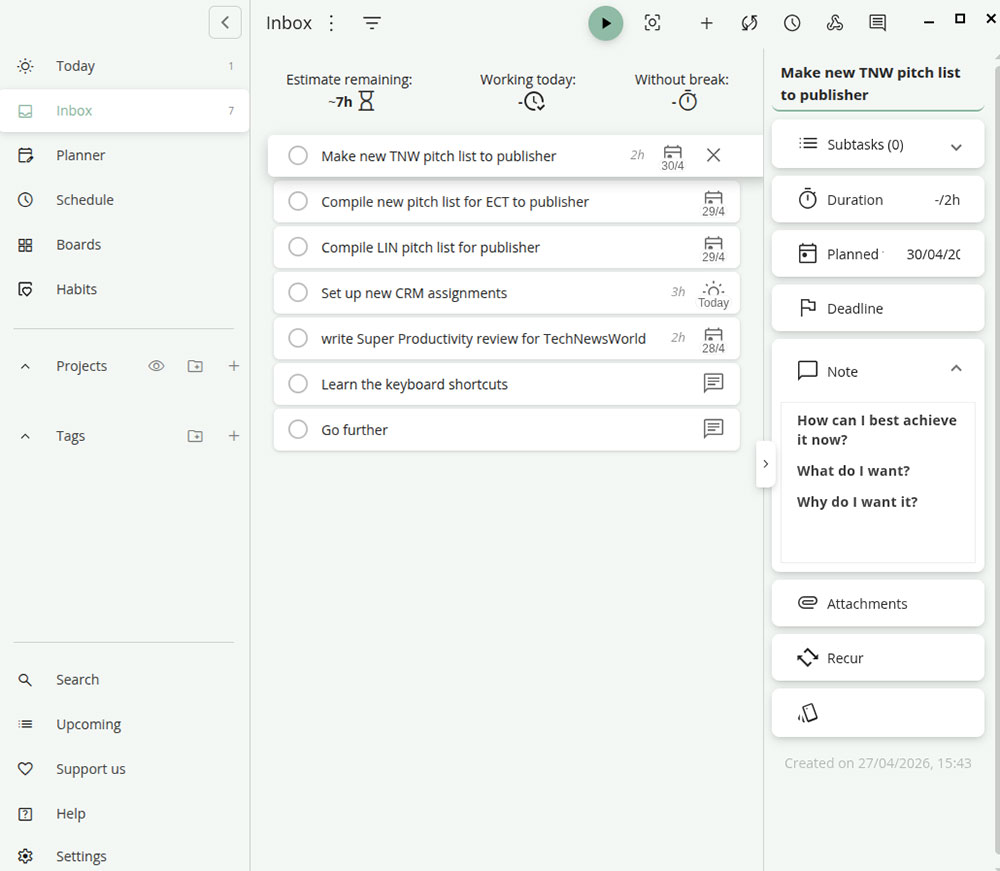
A left-hand navigation panel organizes core sections including Inbox, Planner, Schedule, Boards, and Habits, along with project and tagging tools in the center area.
Use What Works for You
Tasks can be created in the Inbox with varying levels of detail—from simple titles to full descriptions with checklists, deadlines, and estimates.
The system supports multiple views:
- Today view for immediate task focus
- Schedule view for calendar-based planning
- Planner view for drag-and-drop daily task organization
Users can track time per task using a start/stop timer and mark completion when finished.
The built-in Pomodoro system helps enforce work-break cycles, while projects can be organized separately and populated with related tasks.
SuperSync Is a Key Improvement
Earlier versions of Super Productivity relied on external services such as Dropbox or WebDAV for synchronization, which added complexity and sometimes subscription costs.
The newer SuperSync system replaces that model with a peer-to-peer syncing approach.
It allows devices to synchronize directly using encrypted connections, either over local networks or via relay servers when necessary.
Setup is straightforward: users create a login, receive a pairing code, and connect devices via a secure handshake. Once paired, synchronization happens automatically when devices are online.
Key characteristics include:
- End-to-end encrypted data transfer
- Incremental syncing (only changes are transferred)
- Full offline-first functionality
- Local data storage on each device
Relay servers cannot access user data, reinforcing a privacy-first architecture.
Bottom Line
No productivity system is perfect, but Super Productivity comes closer than most to balancing flexibility, control, and cost.
Its open-source nature means it is free to use, with no subscription tiers or paywalled features. Plugin support extends functionality further, allowing users to tailor the system to specific workflows.
The main limitation is collaboration. The tool is designed primarily for individual use rather than team-based real-time environments, which may limit its suitability in shared workspaces.
Still, for users seeking a unified, customizable, and privacy-focused productivity system across multiple platforms, it represents one of the more complete options available today.